Streamlined LOC transaction logging

We have streamlined the user process for logging transactions within line of credit (LOC) accounts by updating the UI’s button layout. Changes include:
- Removing the ‘Make A Payment’ button from the Summary, Statements, and Account Linking pages.
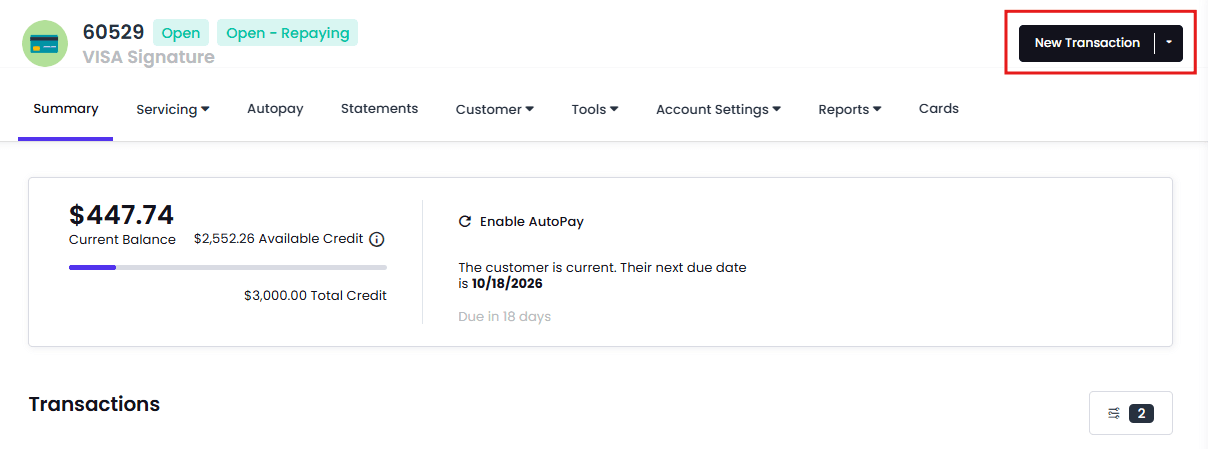
- Replacing the ‘Log’ button with a new, more prominent ‘New Transaction’ button.
How can I use it?
You can use the ‘New Transaction’ button to log transactions of any kind on LOC accounts, including payments, swipes, bucket transfers, charges, credits, and balance roll overs.
How can I test it?
To confirm this update, follow these steps:
- Open an individual LOC account, then navigate to the Summary, Statements, and Account Linking pages.
- Confirm the ‘Make A Payment’ button is no longer visible on each page.
- Locate the ‘New Transaction’ button in the upper-right side of the UI where the ‘Log’ button used to be.
- Click the button to confirm that the transaction menu opens.
Key benefits
This platform improvement:
- Provides a centralized location to record all transactions.
- Simplifies the LOC user interface.
- Unifies agent workflow.