Consolidated Transactional Email Sender

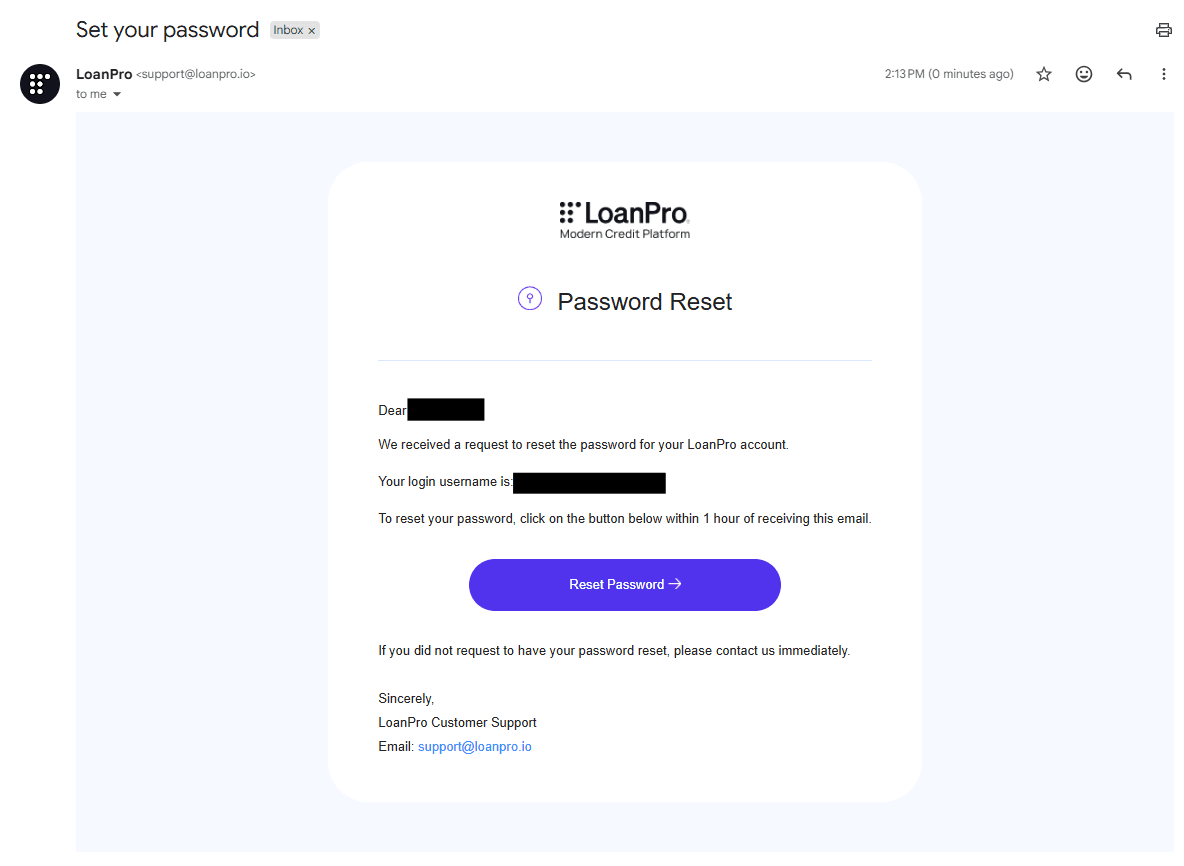
We have updated and consolidated the sender identity for our platform's automated transactional emails. Previously, New User and Forgot Your Password emails would be sent by different senders sales@loanpro.io and noreply@loanpro.io respectively. Now, both of these system emails are now sent from support@loanpro.io with the display name LoanPro. This change ensures that users will be able to consistently identify emails and can reply to reach our support team.
How can I test it?
You can test the new branding and sender identity by completing the following steps:
- Navigate to the LoanPro login screen.
- Click Forgot Password and enter your LoanPro email address (or test account email).
- Check your inbox for the reset link.
- Verify that the sender name says LoanPro, the email address is
support@loanpro.io, and the official company logo is displayed.
Alternatively, the following method is also available:
- Create a new agent user in LoanPro.
- Check your inbox for the "Welcome to LoanPro" email.
- Verify that the sender name says LoanPro, the email address is
support@loanpro.io, and the official company logo is displayed.